
RESOURCE

AWS DJ System · Open Source

$11.99 −40% $19.99

Open-Source · See package requirements

DISCOVER THE RESOURCE

See what you can do.

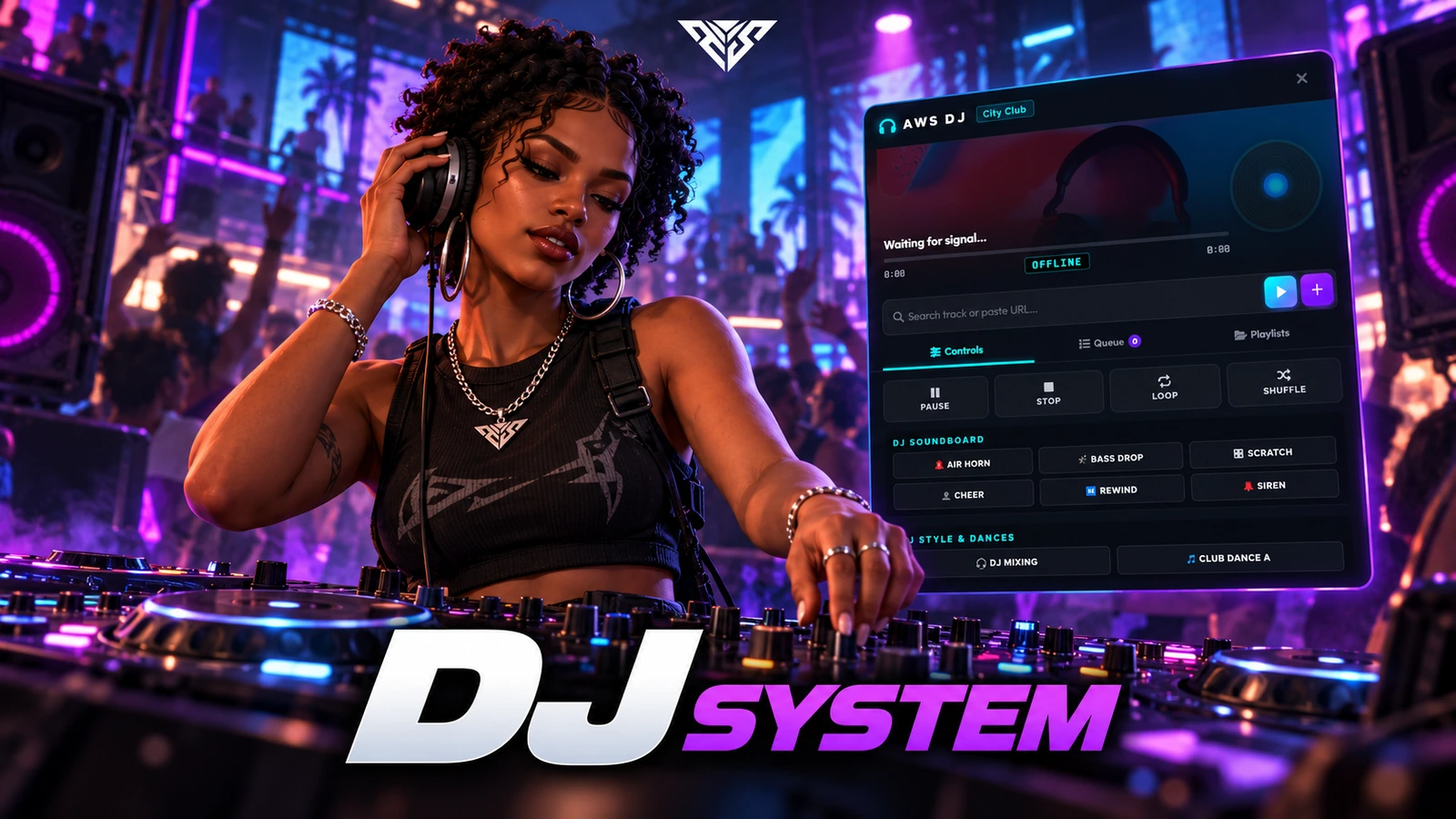
A venue music controller with DJ booths, distance-based listening and saved playlists.

Original resource interface · Example data
01 / FEATURE

Next-Gen 3D Spatial Acoustics

  • Acoustic Ray-Tracing: Real-time calculation of physical boundaries (Left, Right, Front, Back walls). Walking near walls introduces realistic acoustic phase cancellation and realistic room reflection flutter.
  • Dynamic Head Shadowing: Simulates natural sound blocking by the human head. Turning your back or looking away from the DJ booth dynamically muffles high-frequencies by 35%, localizing the music behind you.
  • Chest-Thumping Subwoofer Bass: A physical bass thumping effect triggered within a 15-meter radius. As you get closer to the speakers, the screen shakes rhythmically in sync with the beat, mimicking high-power venue subwoofers.
  • Cinematic Crossfading: Moving away from the sound source or behind thick walls applies a smooth 6% cinematic volume decay (Fade Out) instead of sharp, jarring volume cuts.
Feature highlights
  1. 01

    Glassmorphic Dark UI

  2. 02

    Direct YouTube Player

  3. 03

    Persistent Playlists

  4. 04

    Crowd-Pleasing Soundboard

AWS DJ System
02 / FEATURE

Premium DJ Control Panel & Playlists

  • Glassmorphic Dark UI: A stunning, state-of-the-art dark mode dashboard with premium neon accents, micro-animations, and clean blur backdrops.
  • Direct YouTube Player: Play any track instantly by typing the song title directly in the search bar or pasting a YouTube video URL.
  • Persistent Playlists: Create, edit, and save personal playlists permanently to the database (SQL synchronized) for quick loading.
  • Crowd-Pleasing Soundboard: Trigger high-fidelity sound effects (Airhorn, Bassdrop, DJ Scratch, and Transitions) with safe 3D panner nodes.
Feature highlights
  1. 01

    Auto-DJ Animations

  2. 02

    Interactive Dance Menu

  3. 03

    Job Permission Controls

AWS DJ System
03 / FEATURE

Performance & Animation Engine

  • Auto-DJ Animations: Character automatically steps into realistic mixing/DJ deck movements as soon as the booth is opened.
  • Interactive Dance Menu: Choose from multiple nightclub dance emotes, with a single-click button to stop or resume animations.
  • Job Permission Controls: Fully customize DJ booth access easily per job (e.g. toggle DJ, Police, Ambulance) inside config.lua.
Feature highlights
  1. 01

    Source access

  2. 02

    Framework and dependencies

  3. 03

    Flawless Player Sync

AWS DJ System
04 / FEATURE

Technical Specifications & Compatibility

  • Source access: The prepared delivery package includes readable resource files and editable configuration.
  • Framework and dependencies: oxmysql QBCore, Qbox or ESX for framework-backed access checks A supported target when Config.Interaction is target; drawtext and 3dtext modes are also included
  • Flawless Player Sync: Real-time synchronization instantly catches up players joining or approaching the venue mid-song.

Player workflow
  1. 01

    Use a venue booth

  2. 02

    Choose a track or playlist

  3. 03

    Control venue playback

AWS DJ System
05 / HOW IT WORKS

From first interaction to gameplay

A venue music controller with DJ booths, distance-based listening and saved playlists.

  • Interact with a booth, play a supported media URL and adjust its volume.
  • Save a playlist, reconnect and verify it returns for the same player identifier.
Before you install
  1. 01

    oxmysql

  2. 02

    QBCore, Qbox or ESX for framework-backed access checks

  3. 03

    A supported target when Config.Interaction is target; drawtext and 3dtext modes are also included

AWS DJ System
06 / FEATURE

Make it fit your server

Use the included source and configuration to connect this resource to your existing server. The installation guide lists the required adapters, items and startup order.

Configuration and integration details
  • config.lua: Config.DJBooths sets booth positions and jobs.
  • Config.Interaction and Config.TargetSystem select the interaction provider.
  • Config.UseJobRestriction enables per-booth job restrictions.
  • Config.VolumeDrop, OutsideVolumeMult, OutsideExtraDrop and VolumeUpdateRate tune listening behavior.
  • Config.UI, Config.Soundboard, Config.MaxPlaylistSize and Config.MaxPlaylists configure controls and saved content.

Read installation and configuration →

WATCH THE RESOURCE

See the full showcase.

The original product video, directly on this page.

THE PACKAGE

What is included

  • Readable resource source and configuration
  • Installation README and package instructions
  • Original web interface and supplied UI assets

Third-party frameworks, inventory systems and optional paid maps are separate.

GETTING STARTED

Installation essentials

oxmysql / qb-core / aws-dj

Package-specific setup notes
  • schema.sql creates aws_dj_playlists. The server also includes CREATE TABLE IF NOT EXISTS; use one initialization path and do not drop existing playlists.
  • Edit Config.DJBooths with your venue positions and configured listening areas.
  • Select an interaction mode and start its target/text resource first when required.
Open the installation guide ↗
Expanded product interface

Updates & release notes

v2026.10.16 2026-10-16

Reviewed open-source delivery package.


THE AWS COMMUNITY

Recent Payments

Recent purchases and free claims.

✓ Completed orders
UnatoxxFREE
✓ Free claim
Johngotty123FREE
✓ Free claim
ZKM93FREE
✓ Free claim

JOIN OUR DISCORD

Need help with this package? Join our community for installation help, support and updates.

JOIN SERVER

VIEW DOCUMENTATION

Detailed installation guides, configuration examples, and technical requirements for this resource.

READ GUIDES