
RESOURCE

AWS CarSound V2 · Open Source

$60.00 −40% $100.00

Open-Source · See package requirements

DISCOVER THE RESOURCE

See what you can do.

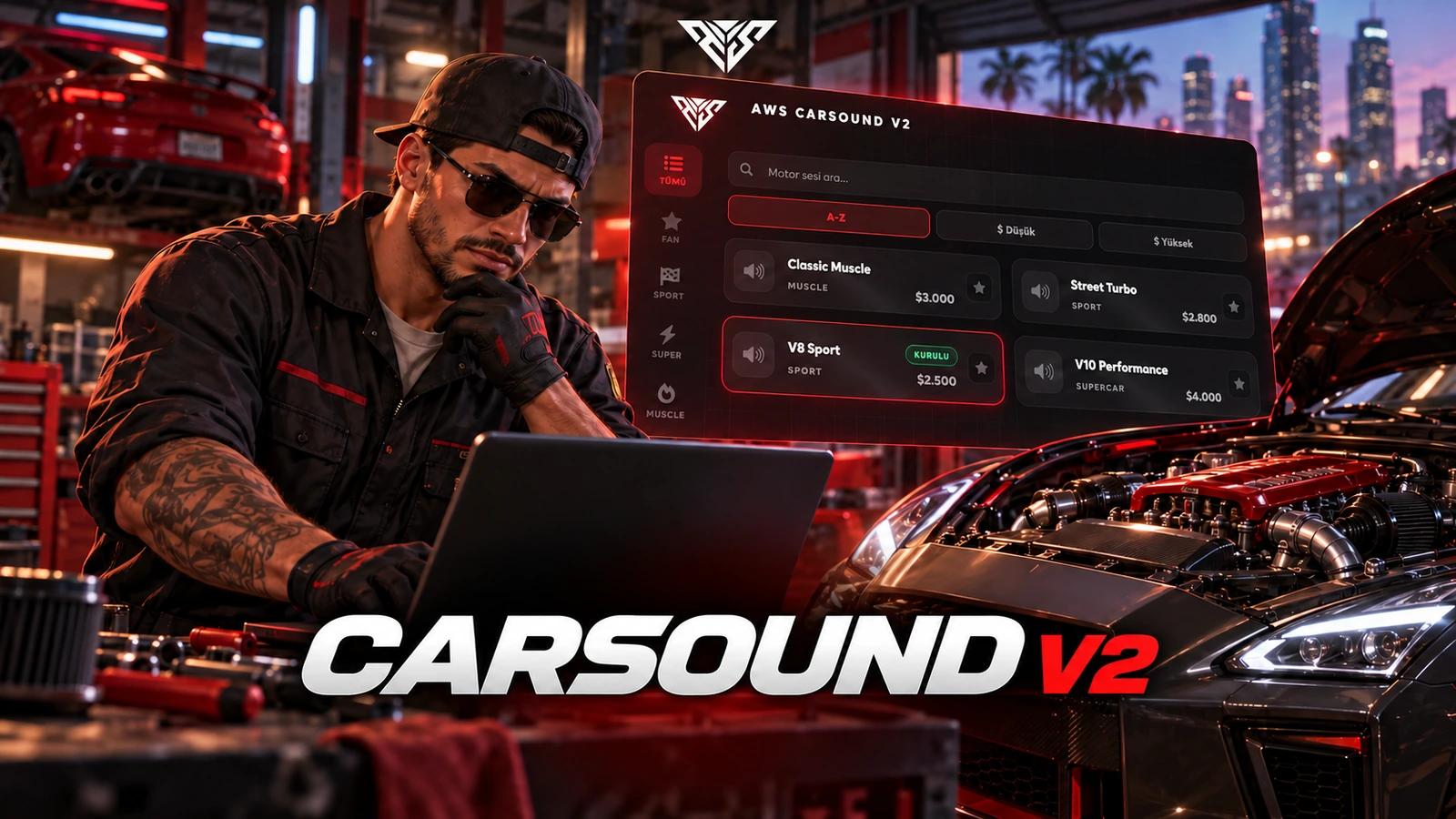
CarSound V2: 151+ engine sounds with workshop previews and plate-based saved installations.

Original resource interface · Example data
01 / FEATURE

Premium Black & Red User Interface

Next-Gen Design: A striking tablet-style interface built on a sleek black-and-red aesthetic with ambient glow, grid textures, and smooth animations — designed for clarity, speed, and style.

Triple Layout System: Players can switch between Left Sidebar, Wide Center, and Right Sidebar layouts — fully saved per client for a personalized experience.

Fluid Performance: navigation with instant category switching, live search, and price sorting (A–Z / Low / High) across the configured engine sounds.

Smart Categorization: Sounds are organized into 6 intuitive categories: Sport/JDM, Supercar, Muscle, SUV/Sedan, Police, and Motorcycles — plus a dedicated Favorites tab.

Feature highlights
  1. 01

    Engine sound library

AWS CarSound V2
02 / FEATURE

151+ engine sounds · CarSound V2

  • Sound library: 151+ selectable engine sounds for your vehicle workshop.
  • Categories: Sport/JDM, Supercar, Muscle, SUV/Sedan, Police and Motorcycles.
  • Preview before installing: Listen on the active vehicle before purchasing the configured sound installation.
  • Editable selection: Configure sound entries, labels and in-game prices in the supplied source.
EDITION COMPARISON
  1. 01

    V1 · 95+ sounds · 5 categories

  2. 02

    V2 · 151+ sounds · 6 categories

AWS CarSound V2
03 / FEATURE

CarSound V1 or V2: choose your edition

  • V1 — 95+ sounds: Five sound categories, workshop previews and installations saved by vehicle plate.
  • V2 — 151+ sounds: Six categories including Police, favourites, price sorting, installed badges, rev preview and reset-to-stock options, plus dedicated sound storage.

Install one edition per server. V1 and V2 share commands and integration identifiers.

V1 installation guide · V2 installation guide

Feature highlights
  1. 01

    Advanced Persistence & Framework Support

AWS CarSound V2
04 / FEATURE

Advanced Persistence & Framework Support

Database Integration: Purchased engine sounds are saved to a dedicated aws_vehicle_sounds table (and optionally your vehicle table). Sounds persist through server restarts and vehicle respawns.

Framework and dependencies: oxmysql OneSync One supported core: QBCore, Qbox or ESX

100% Synchronized Audio: Engine sounds sync across all nearby players via optimized State Bag technology — not just you, the whole city hears it.

Installed Badge: Players always see which sound is currently installed on their vehicle at a glance.

Feature highlights
  1. 01

    Full Customization & Management Tools

AWS CarSound V2
05 / FEATURE

Full Customization & Management Tools

Developer Friendly: A comprehensive config.lua lets you configure prices, locations, markers, blips, job requirements, blacklists, security settings, and feature toggles in seconds — no code editing required.

Admin Commands: Built-in /carsound command opens the menu anywhere (permission-based) with optional free install for staff — perfect for events and testing.

Reset & Economy: Players can reset their engine sound to stock. Full pricing system with bank/cash support and per-location job restrictions.

Discord Logging: Track every purchase with detailed Discord Webhook integration — player info, vehicle plate, sound name, and amount paid.

Security Built-In: Anti-spam cooldowns, sound validation, price caps, and vehicle blacklist protection against abuse.

Feature highlights
  1. 01

    High Performance & Optimization

AWS CarSound V2
06 / FEATURE

High Performance & Optimization

Optimized Audio Pack: ~505 MB compressed library (NPC LOD banks removed) — full quality for player vehicles without unnecessary bloat.

Safe Resource Restart: Built-in cleanup on resource stop prevents crashes when restarting — unfreezes vehicles, resets NUI, and safely clears audio state.

Smart Loading: Audio assets stream efficiently through native GTA audio banks — no unnecessary memory overhead.

[TECHNICAL DETAILS]

Source access: The prepared delivery package includes readable resource files and editable configuration.

Player workflow
  1. 01

    Browse and filter sounds

  2. 02

    Preview or save a favourite

  3. 03

    Install or reset the vehicle sound

AWS CarSound V2
07 / HOW IT WORKS

From first interaction to gameplay

A vehicle sound workshop with configurable sound lists, favorites, rev previews and persistent plate-based installations.

  • Open the workshop menu in a vehicle or use /carsound as authorized staff.
  • Preview a sound, install it, then test favorites and the configured reset-to-stock action. W/Shift rev preview is controlled by Config.Features.
Before you install
  1. 01

    oxmysql

  2. 02

    OneSync

  3. 03

    One supported core: QBCore, Qbox or ESX

AWS CarSound V2
08 / FEATURE

Make it fit your server

Use the included source and configuration to connect this resource to your existing server. The installation guide lists the required adapters, items and startup order.

Configuration and integration details
  • config.lua: Config.Framework selects auto, qb, qbox or esx.
  • Config.Database defines vehicle tables, plate and owner columns, and sound storage.
  • Config.Features controls favorites, sorting, installed badges, reset, rev preview and staff free installations.
  • Config.Security controls vehicle requirements, ownership enforcement, price limits and event cooldowns.
  • Config.Locations, Config.Sounds and Config.Admin define the workshops, library, prices and /carsound access.

Read installation and configuration →

WATCH THE RESOURCE

See the full showcase.

The original product video, directly on this page.

THE PACKAGE

What is included

  • Readable resource source and configuration
  • Installation README and package instructions
  • Original web interface and supplied UI assets

Third-party frameworks, inventory systems and optional paid maps are separate.

GETTING STARTED

Installation essentials

oxmysql / qb-core / aws-carsounds-v2

Package-specific setup notes
  • Install V2 instead of running it alongside CarSound V1; their public commands and event names overlap.
  • Back up the vehicle database. Config.Database.SoundTable defaults to aws_vehicle_sounds and is initialized by the server.
  • Review Config.Database.UseLegacyVehicleColumn and AutoCreateSoundColumn before startup. They can read or alter the framework vehicle table.
Open the installation guide ↗
Expanded product interface

Updates & release notes

v2026.10.16 2026-10-16

Reviewed open-source delivery package.


THE AWS COMMUNITY

Recent Payments

Recent purchases and free claims.

✓ Completed orders
Johngotty123FREE
✓ Free claim
ZKM93FREE
✓ Free claim

JOIN OUR DISCORD

Need help with this package? Join our community for installation help, support and updates.

JOIN SERVER

VIEW DOCUMENTATION

Detailed installation guides, configuration examples, and technical requirements for this resource.

READ GUIDES