
RESOURCE

AWS Gameplay Camera · Open Source

$15.00 −40% $25.00

Open-Source · See package requirements

DISCOVER THE RESOURCE

See what you can do.

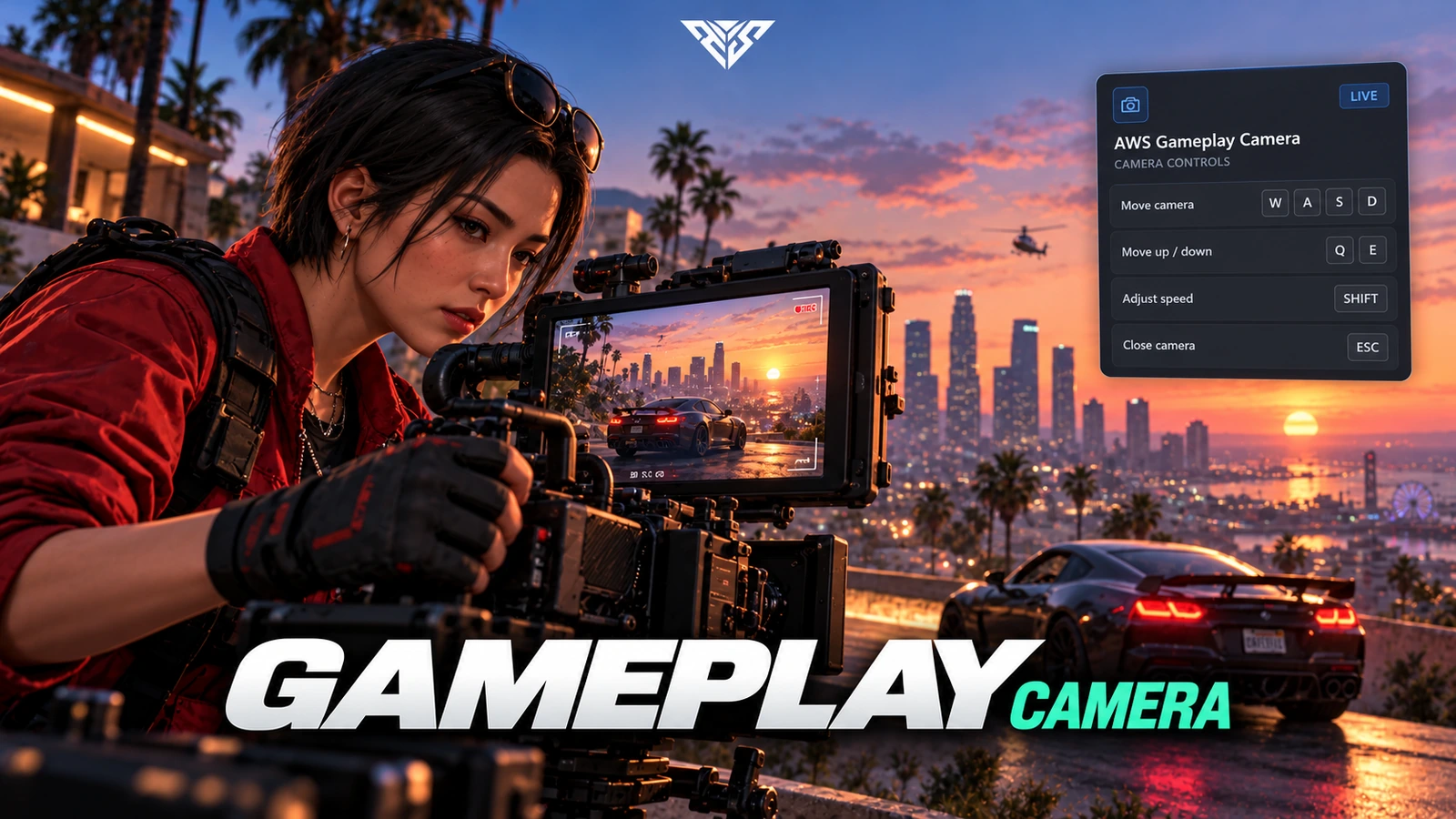
Gameplay camera with freecam/cinematic modes, presets and configurable controls.

Original resource interface · Example data
01 / FEATURE

Frame the city your way

Switch between the supplied freecam and cinematic camera modes.

  • Camera presets and movement controls help players compose their own views.
AWS artwork · Resource overview
02 / FEATURE

Controls that fit your server

Configure camera mode, movement speed, movement limits and blur.

  • The opening command is /gameplaycam, with key mappings supplied in the client source.
Included capabilities
  1. 01

    Frame the city your way

  2. 02

    Controls that fit your server

  3. 03

    A focused camera resource

  4. 04

    Movement, rotation and framing

  5. 05

    Hold-to-open and distance behaviour

AWS Gameplay Camera
03 / FEATURE

A focused camera resource

No framework, inventory or SQL installation is required by this package.

  • Configure the permitted camera range to match your server rules.
Included capabilities
  1. 01

    Frame the city your way

  2. 02

    Controls that fit your server

  3. 03

    A focused camera resource

  4. 04

    Movement, rotation and framing

  5. 05

    Hold-to-open and distance behaviour

AWS Gameplay Camera
04 / FEATURE

Movement, rotation and framing

Configure mouse sensitivity, freecam movement and rotation speeds.

  • The supplied camera controls let players compose a view while the resource applies the configured movement and distance limits.
Included capabilities
  1. 01

    Frame the city your way

  2. 02

    Controls that fit your server

  3. 03

    A focused camera resource

  4. 04

    Movement, rotation and framing

  5. 05

    Hold-to-open and distance behaviour

AWS Gameplay Camera
05 / FEATURE

Hold-to-open and distance behaviour

The supplied configuration opens the camera after holding the activation key and allows closing with Escape.

  • Optional obstruction and distance blur, warnings and automatic closing help keep the camera within the selected range.
Player workflow
  1. 01

    Open /gameplaycam

  2. 02

    Choose a camera mode

  3. 03

    Compose and close the view

AWS Gameplay Camera
06 / HOW IT WORKS

From first interaction to gameplay

Gameplay camera with freecam/cinematic modes, presets and configurable controls.

  • Use /gameplaycam to open the camera. Key mappings in client/keys.lua can be changed through FiveM bindings.
Before you install
  1. 01

    FiveM; the package has no framework or SQL requirement.

AWS Gameplay Camera
07 / FEATURE

Make it fit your server

Use the included source and configuration to connect this resource to your existing server. The installation guide lists the required adapters, items and startup order.

Configuration and integration details
  • config/cl_config.lua controls CameraMode, ControlScheme, movement speed, limits, blur and localization.

Read installation and configuration →

THE PACKAGE

What is included

  • Readable resource source and configuration
  • Installation README and package instructions
  • Original web interface and supplied UI assets

Third-party frameworks, inventory systems and optional paid maps are separate.

GETTING STARTED

Installation essentials

aws-gameplaycam

Package-specific setup notes
  • Install the resource without adding an inventory, database or framework adapter.
  • Review camera limits and key mappings before enabling it for all players.
Open the installation guide ↗
Expanded product interface

Updates & release notes

v2026.10.16 2026-10-16

Reviewed open-source delivery package.


THE AWS COMMUNITY

Recent Payments

Recent purchases and free claims.

✓ Completed orders
Johngotty123FREE
✓ Free claim
ZKM93FREE
✓ Free claim

JOIN OUR DISCORD

Need help with this package? Join our community for installation help, support and updates.

JOIN SERVER

VIEW DOCUMENTATION

Detailed installation guides, configuration examples, and technical requirements for this resource.

READ GUIDES