
RESOURCE

AWS Notify & Progressbar · Open Source

$19.80 −40% $33.00

Open-Source · See package requirements

DISCOVER THE RESOURCE

See what you can do.

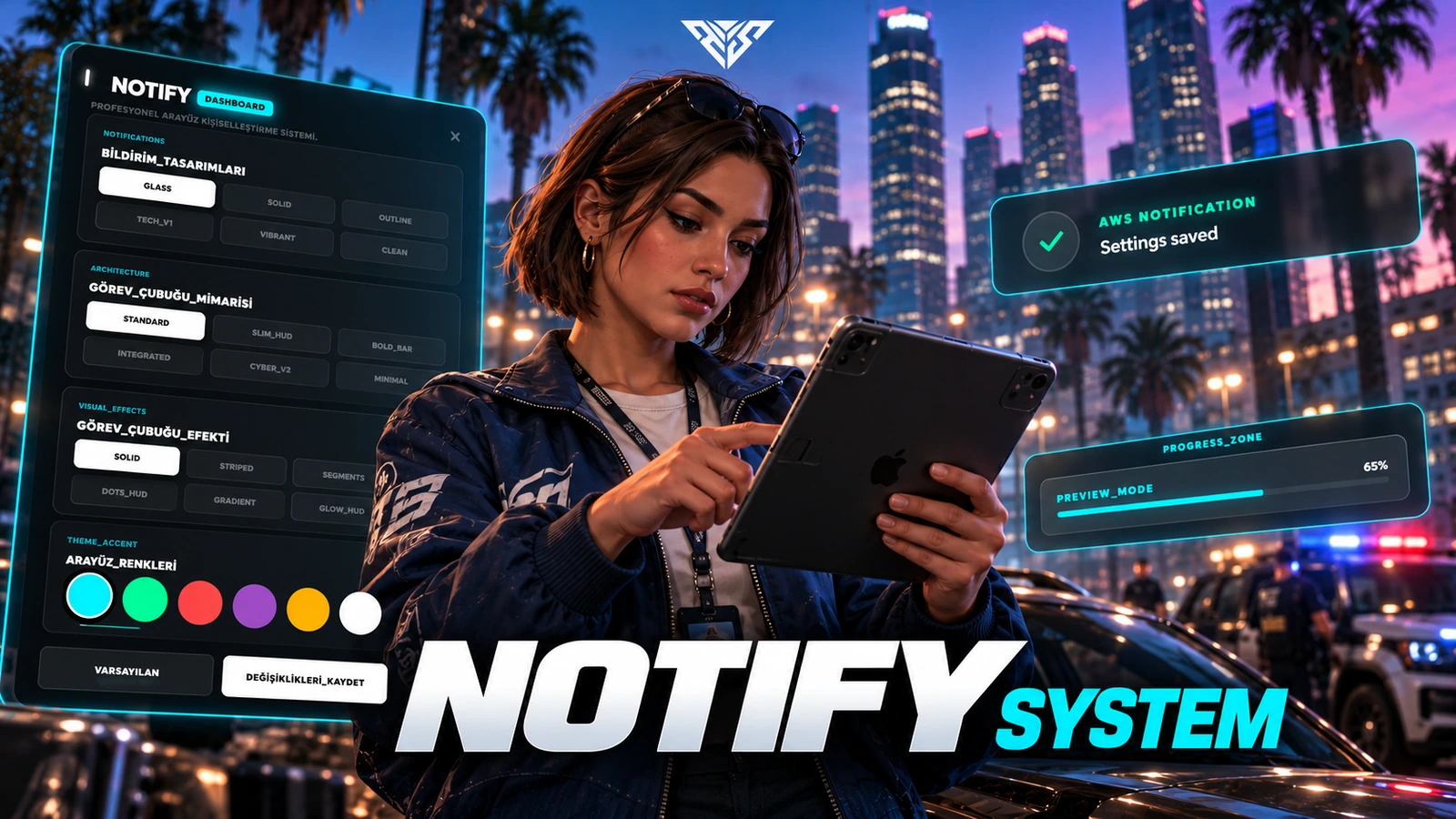
Notification and progress-bar exports with an in-game appearance editor and saved client preferences.

Original feature showcase · Video preview
01 / FEATURE

Advanced Customization Dashboard

  • In-Game Editor: Players can easily customize their UI experience dynamically via an interactive in-game menu (/notifymenu).
  • Drag & Drop Positioning: Move notifications and progress bars anywhere on the screen for a completely personalized layout.
  • Pixel-Perfect Alignment: Features a technical Editor Grid and safe-zone indicators to ensure symmetrical and precise placement.
  • Real-Time Preview: Instantly preview different styles, colors, and positions before saving your HUD settings.
Original feature showcase · Video preview
02 / FEATURE

Premium UI & Aesthetic Design

  • Modern Glassmorphism: A state-of-the-art interface that provides a sleek, translucent, and premium look with configurable appearance.
  • Multiple Visual Styles: Give your players the freedom to choose from high-quality design variants, including Glass, Solid, Outline, Tech, Vibrant, and Clean.
  • Dynamic Animations: Smooth entry/exit transitions and micro-animations that make your server feel highly responsive and alive.
Original feature showcase · Video preview
03 / FEATURE

Framework and integration

  • Framework and dependencies: FiveM; standalone exports are included Optional QBCore/ESX notification event hooks selected by Config.Framework
  • Drop-In Replacement: Easily replaces outdated notification systems (like standard qb-core notifications or esx_notify).
Original feature showcase · Video preview
04 / FEATURE

Professional Progress Bar System

  • Action controls: Progress exports support movement, vehicle and combat restrictions through controlDisables.
  • Cancellation Support: fully supports cancel events (e.g., pressing ESC or G), providing realistic feedback and stopping the ongoing action safely.
  • Legacy Script Modernization: Comes with easy-to-follow documentation on how to replace old, boring Wait(5000) loops with interactive, visual progress bars.
Original feature showcase · Video preview
05 / FEATURE

Highly Optimized & Developer Friendly

  • Multi-Language Support (i18n): Fully localizable. Comes with English and Turkish out-of-the-box, easily expandable to other languages.
  • Persistent Settings: Player configurations (position and styling) are saved locally via KVP, meaning their customized HUD persists through server restarts.

Player workflow
  1. 01

    Open the appearance editor

  2. 02

    Adjust style, colour and placement

  3. 03

    Save client preferences

AWS Notify & Progressbar
06 / HOW IT WORKS

From first interaction to gameplay

Notification and progress-bar exports with an in-game appearance editor and saved client preferences.

  • Open /notifymenu to customize, reposition and save the interface.
  • Client notification example: exports['aws-notify']:Notify('Saved', 'success', 4000).
  • Client progress example: exports['aws-notify']:Progress({name='example', label='Working', duration=3000, canCancel=true}, function(cancelled) end). The callback receives false on completion and true on cancellation.
Before you install
  1. 01

    FiveM; standalone exports are included

  2. 02

    Optional QBCore/ESX notification event hooks selected by Config.Framework

AWS Notify & Progressbar
07 / FEATURE

Make it fit your server

Use the included source and configuration to connect this resource to your existing server. The installation guide lists the required adapters, items and startup order.

Configuration and integration details
  • config.lua: Config.Locale selects tr or en.
  • Config.SettingsCommand defaults to notifymenu.
  • Config.DefaultConfig sets notification style, progress style/fill, accent and element offsets.
  • locales/en.lua and locales/tr.lua contain editor labels.

Read installation and configuration →

THE PACKAGE

What is included

  • Readable resource source and configuration
  • Installation README and package instructions
  • Original web interface and supplied UI assets

Third-party frameworks, inventory systems and optional paid maps are separate.

GETTING STARTED

Installation essentials

aws-notify

Package-specific setup notes
  • Install this resource before scripts that call its exports.
  • Set Config.Framework to the matching framework or auto. This build detects the qbox resource name in auto mode; use the explicit qbox selection with the appropriate compatibility setup.
  • No SQL import is required. User preferences are stored in client KVP keys. Legacy event and KVP names are retained for upgrade compatibility.
Open the installation guide ↗
Expanded product interface

Updates & release notes

v2026.10.16 2026-10-16

Reviewed open-source delivery package.


THE AWS COMMUNITY

Recent Payments

Recent purchases and free claims.

✓ Completed orders
Johngotty123FREE
✓ Free claim
ZKM93FREE
✓ Free claim

JOIN OUR DISCORD

Need help with this package? Join our community for installation help, support and updates.

JOIN SERVER

VIEW DOCUMENTATION

Detailed installation guides, configuration examples, and technical requirements for this resource.

READ GUIDES